
Capture Photo inspections accurately – right at the source
Standardize field inspections using structured inputs, visual evidence, and a mobile inspection app with photo tagging—built for offline use.
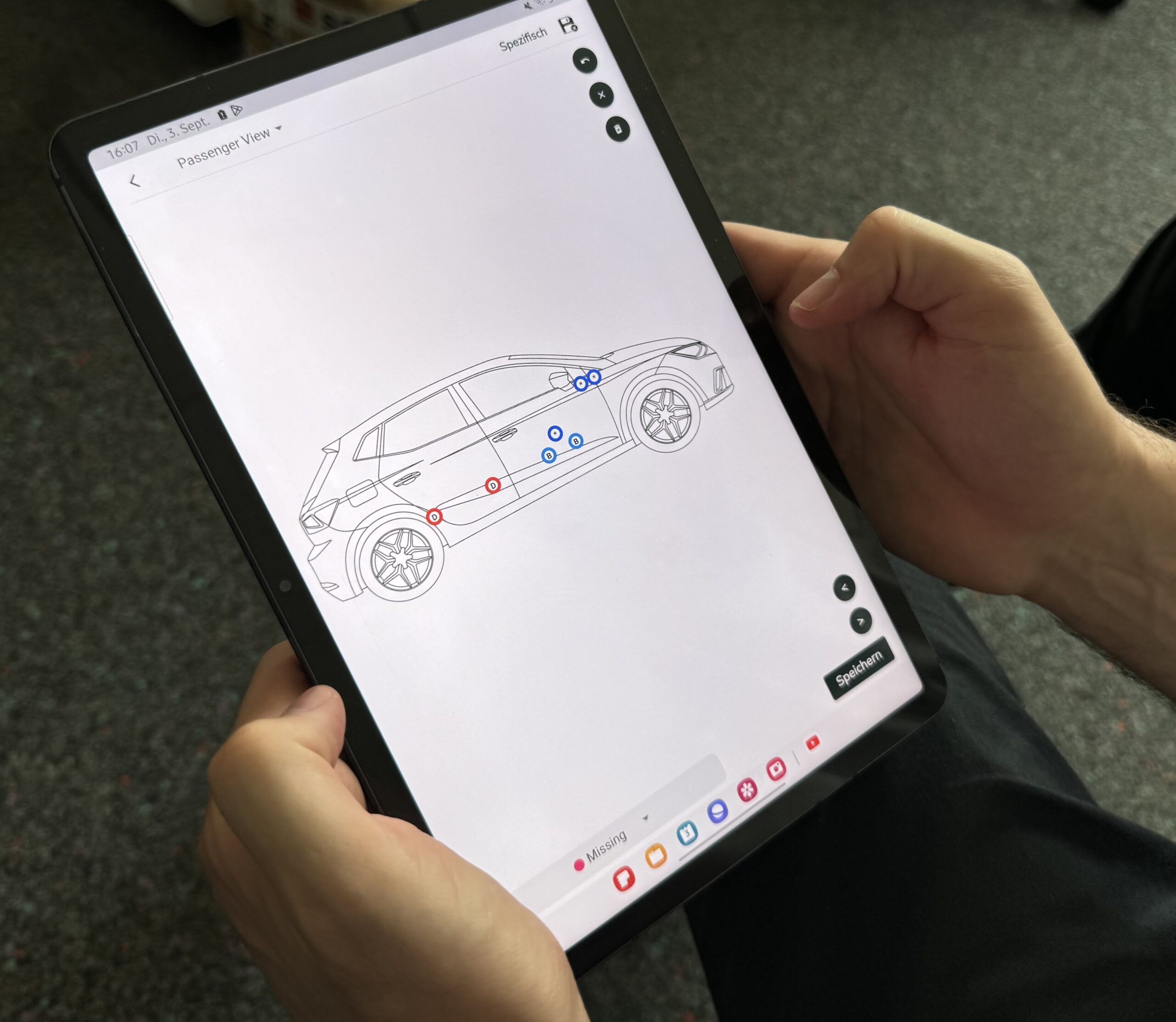
Why inspection capture fails in the field
Inconsistent inputs
Different inspectors follow different processes, resulting in inconsistent inspection data.
Poor evidence
Photos are missing, unclear, or incomplete, making damage documentation unreliable.
Disconnected tools
Paper, email, WhatsApp, and spreadsheets break traceability across inspections.
Built around how
inspections actually happen
Emory doesn’t just digitize checklists.
We design inspection capture around real field workflows—so inspections are consistent, photo-backed, and reliable from the first point of capture, even in offline conditions.
Designed for accuracy in the field
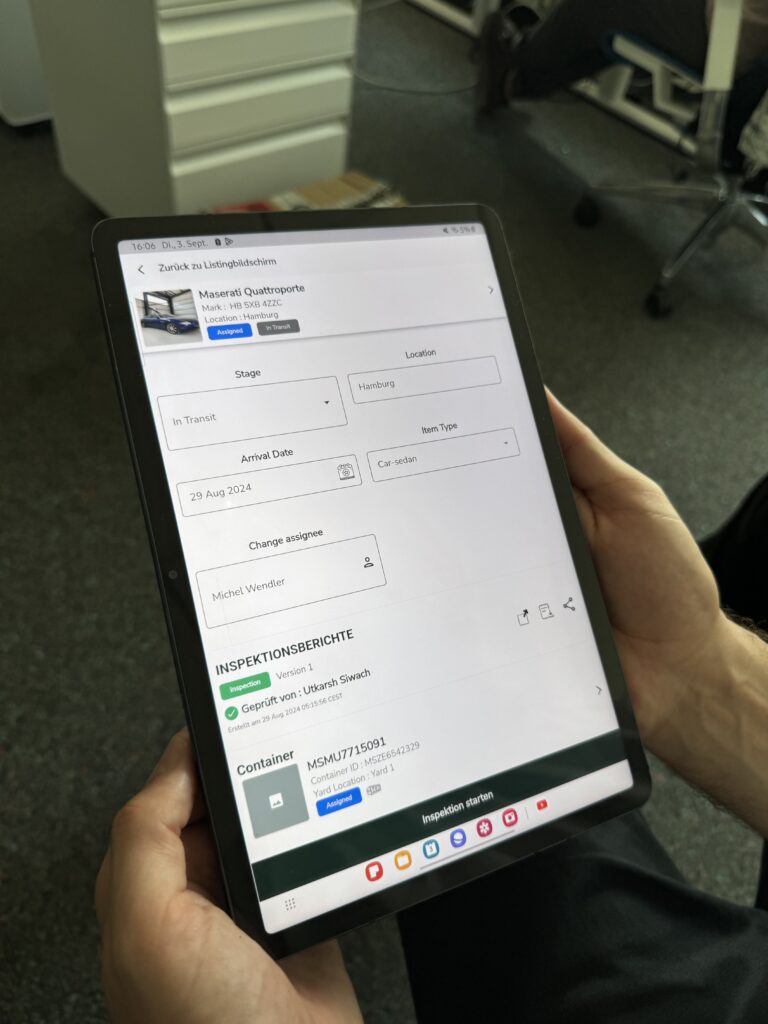
Structured, step-by-step inspection flows that follow real field processes and ensure consistent inspection inputs—every time.
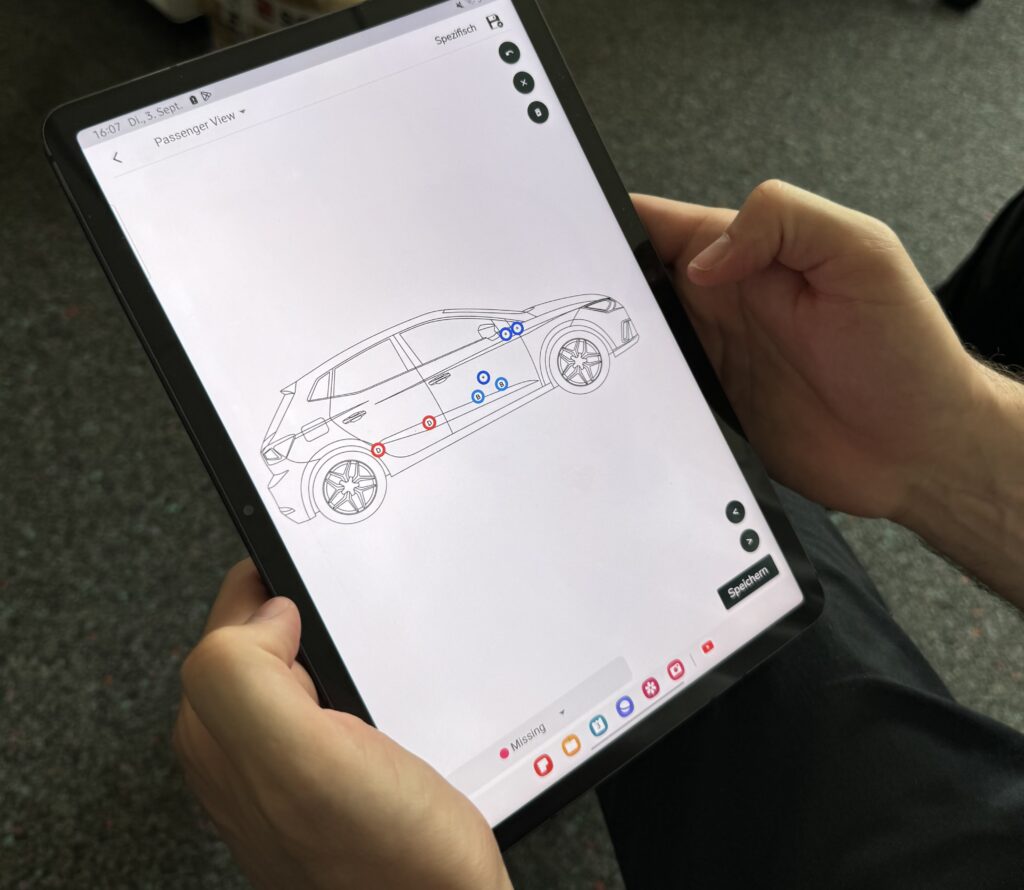
Mark damage directly on item diagrams using standardized damage types—creating clear, repeatable, photo-backed inspection documentation within an image inspection software workflow.
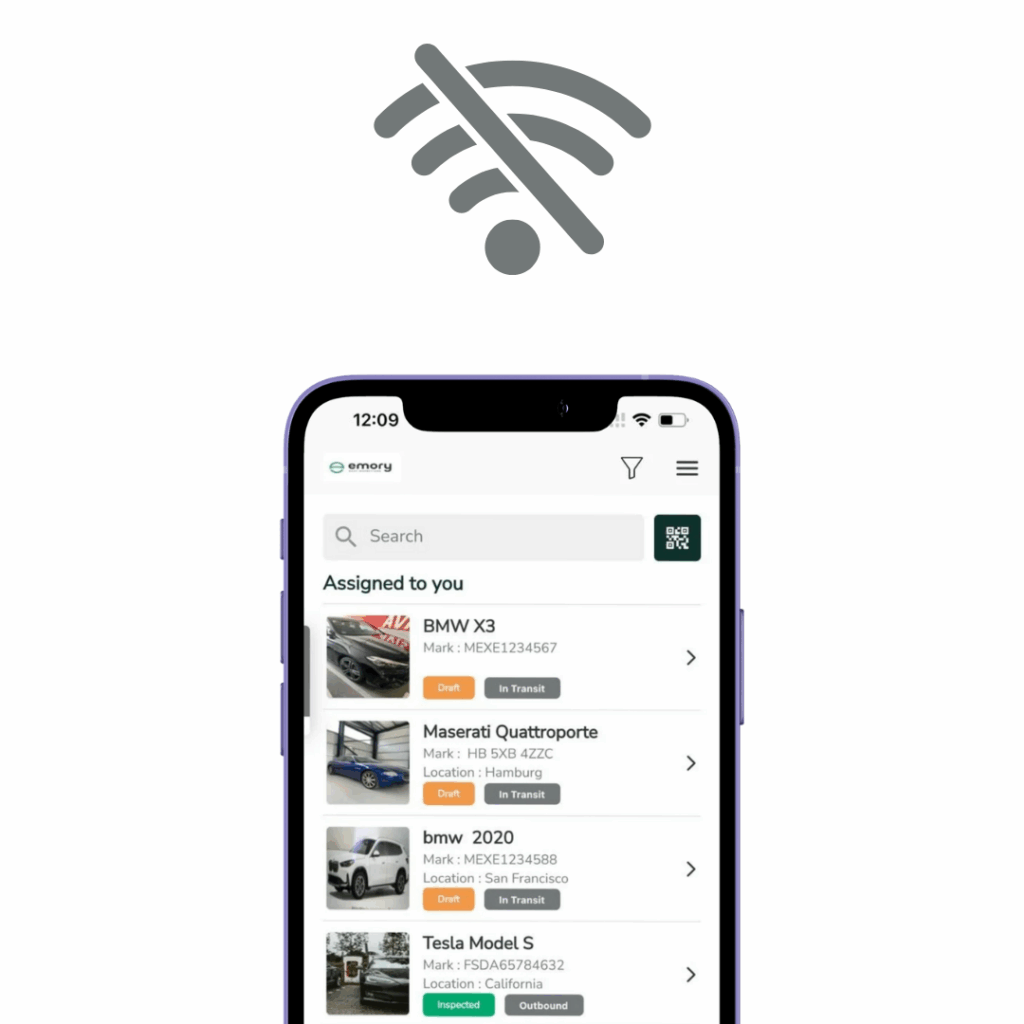
Capture inspections anywhere—even without connectivity. All inspection data syncs automatically once the device is back online.
Inspection capture as part of a seamless workflow
Verify details
Quickly verify or add details of the items at your fingertips.
Mark damages
Navigate across the layouts and mark damages seemlessely.
Add photos & videos
Add photos and videos on one single screen. No going back and forth.
Generate & share
Generate inspection reports instantly in digital and PDF formats.
Used by inspection teams across Europe
With Emory, we save a significant amount of time—around 50% per inspection report during vehicle inspections. In logistics, that time saving has a real operational impact.
Benjamin R, Cross Trans Service GmbH
Ready to standardize how inspections are captured?
Switch to a mobile inspection app with photo tagging designed for real field work.
Create consistent inspection records, generate digital reports, and keep workflows moving—even when teams work offline.
