Inspection Reporting
How To Create A Digital Inspection Report
In fast-paced industries of today such as logistics, fleet management, construction, and quality control, the shift from paper-based inspections to digital solutions is a must. Manual inspections take up a lot of time, are prone to mistakes, and real-time reporting is almost impossible.
Emory Pro, an Digital inspection app that leads the way, offers a single solution to make inspection processes quicker, to generate accurate digital check reports, and to ensure that teams remain productive even in remote or offline situations. This manual demonstrates the stages involved in creating a digital inspection report with Emory Pro and the resulting change of inspection workflows.
Why Are Digital Inspection Reports Essential?
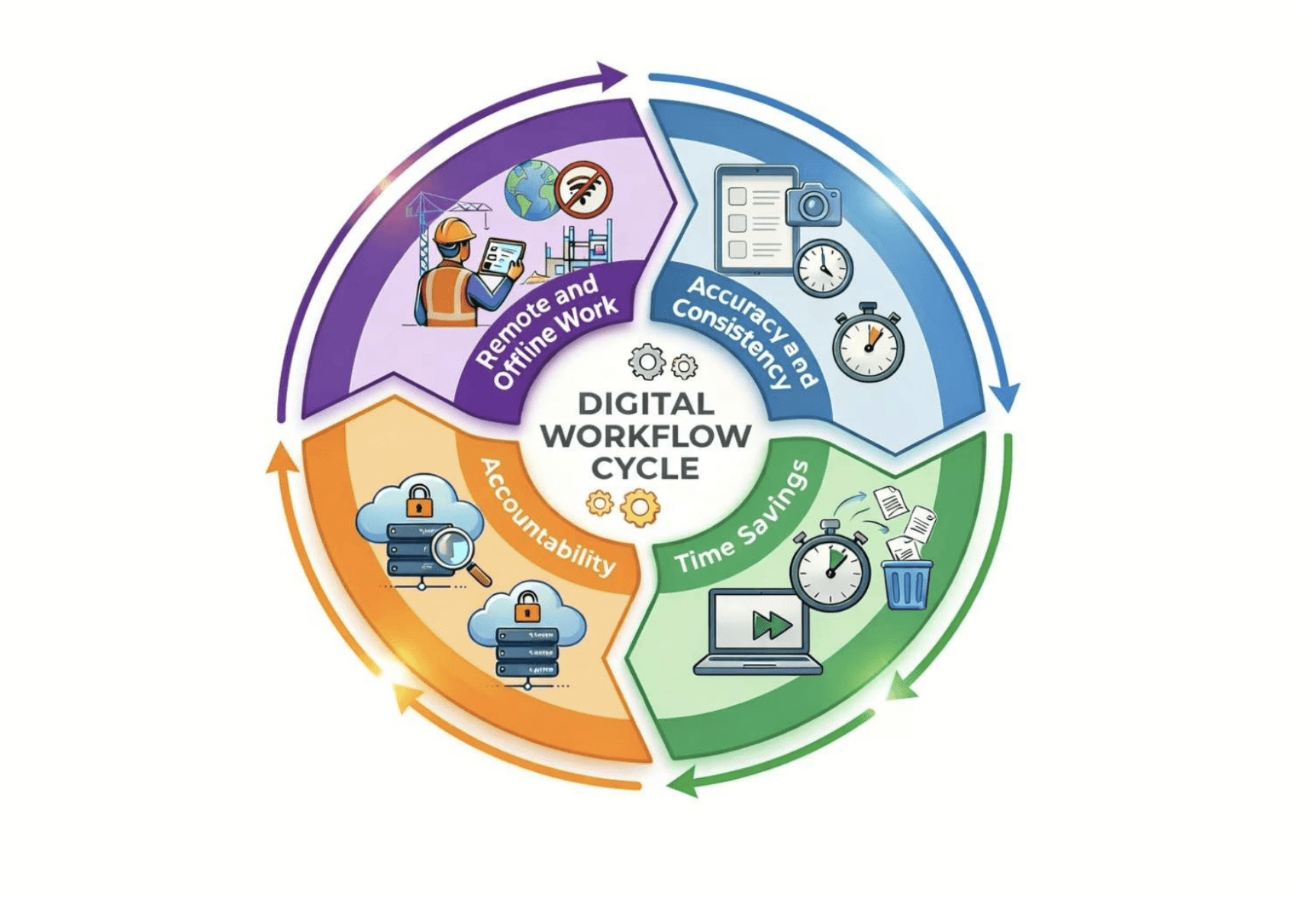
Changing to digital check reports makes the work flow faster and more proper. The main reasons for that are:
Accuracy and Consistency: The automatic data capture, the timestamps, and the photo annotations limit the mistakes made by humans.
Time Savings: Inspectors are not so long in creating spreadsheets or PDFs.
Accountability: Cloud storage is the reason why each report can be audited and traced.
Remote and Offline Work: Digitally reports can be done at any place and time, even if there is no internet connection.
The use of a professional inspection checklist app such as Emory Pro is one of the ways to keep the inspection data reliable, actionable, and secure.

Step 1: Set Up Your Emory Pro Account
Setting up your Emory Pro account is the very first step in managing inspections effectively.
Sign Up: Head over to Emory Pro and set up your account.
Set Up Organization Settings: Input the company information, user roles, and access permissions.
Request Team Members: Delegate roles like inspectors, supervisors, and managers to make the flow of work efficient.
Thanks to the availability of both mobile and web, your team members will be able to digitally create inspection reports right away.
Step 2: Customize Inspection Forms
Using Emory Pro’s drag-and-drop builder, you can create inspection forms that are specifically tailored to the way you work. You don’t have to start from scratch; you can select a pre-built digital vehicle inspection app template and modify it to fit your needs in seconds.
Add Custom Fields: You may decide to use numeric data, dropdowns, checkboxes, or free-text entries.
Conditional Logic: You can make the fields that are only relevant for that particular case appear, thus minimizing the number of mistakes.
Organized Layouts: The forms can be kept in a logical manner and it is also easy for inspectors to complete them quickly.
Template Import: Take your existing PDF, Excel, or Word forms and upload them into Emory Pro.
Custom inspection forms help you to standardize your process, thereby making sure that all inspections are thorough and consistent.
Step 3: Conduct The Inspection
Inspectors perform on-site inspections in a quick manner, when their forms are prepared:
Choose the Inspection Form: Launch the Emory Pro mobile app and choose the appropriate checklist.
Recording Information: Writing out the descriptions of the item, scanning QR codes, or choosing the preset options.
Photo Annotations: Highlight, circle, or write notes on the image for good understanding. This mobile inspection app with photo tagging feature ensures that every scratch or dent is precisely located, removing ambiguity.
Offline Capability: Continue working as normal even if you are not connected to the internet; all data will be synchronized automatically when you are online again.
By using Emory Pro, field agents are enabled to gather rich and accurate data that is comprehensive and in a single location thus, they do not need to resort to separate instruments.
Step 4: Generate The Digital Check Report
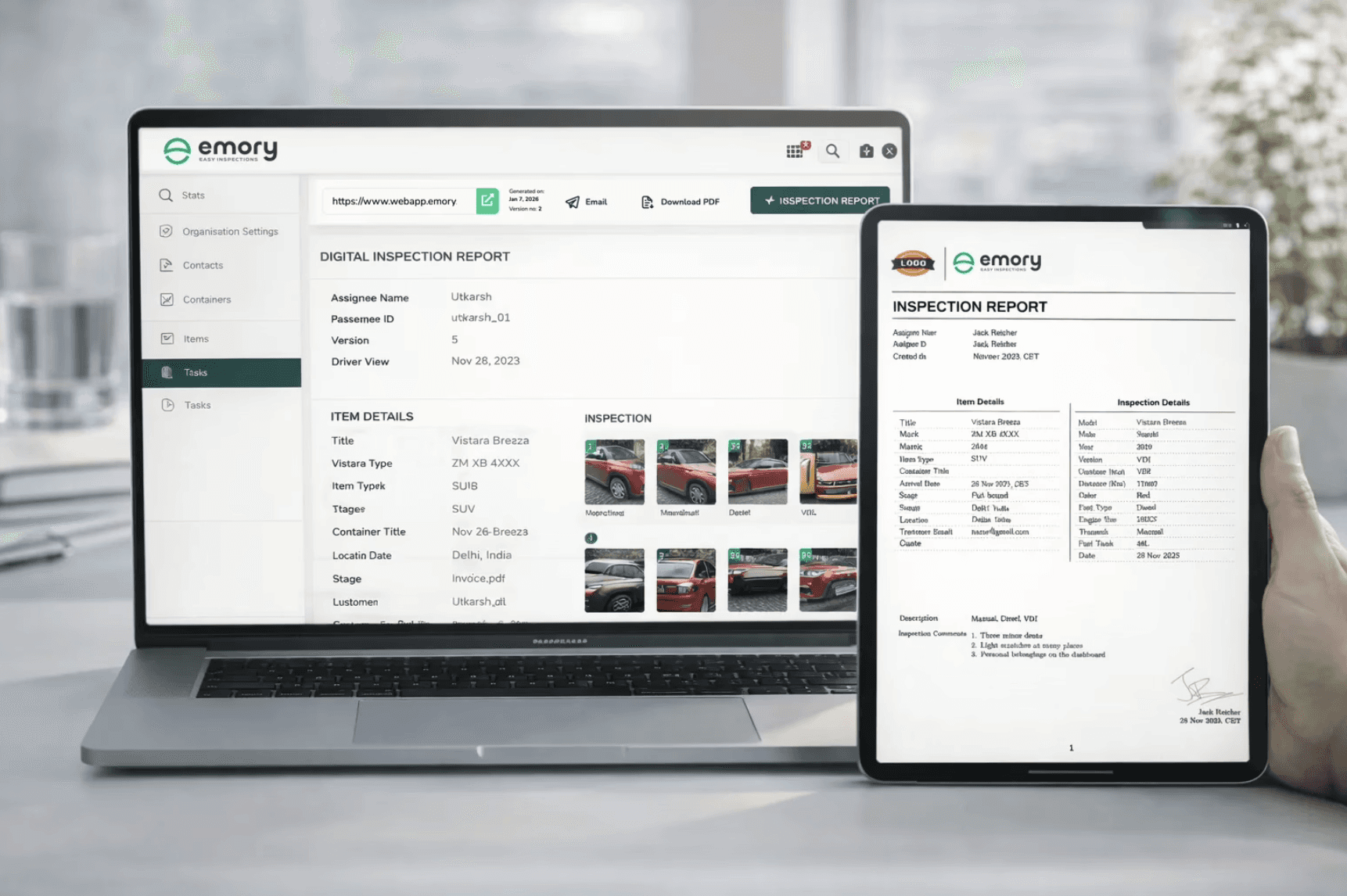
Once the inspection is done, Emory Pro creates a digital check report by itself:
What was Inspected, with Photos and Notes: Every photo, drawing, and comment is shown in the report.
Time and Metadata: For each entry, the date, inspector, and place are automatically recorded.
Get and Share: Share reports via the internet or save them as PDFs for viewing without a connection. This instant sharing capability is critical for a seamless digital-vehicle-handover, ensuring the next driver or manager has the report before the keys change hands.
The automatic creation of reports is a great money saver in terms of work and time and at the same time improves the accuracy of the records made by inspectors.
Step 5: Review, Analyze, And Track
Digital reports go beyond being mere documentation; they are instruments for analysis and enhancement:
Search and Filter: Finding any inspection quickly for trend analysis.
Identify Patterns: Find the most common issues and stop those problems from happening again.
Corrective Action Tracking: Tasks can be assigned directly from the reports and the progress can be checked in real-time.
Custom Dashboards: Look at the inspections by place, department, or team.
By using Emory Pro, the managers receive the insights that they can use to effectively optimize the operations, improve the quality, and decrease the downtime.
Benefits Of An Inspection Checklist App
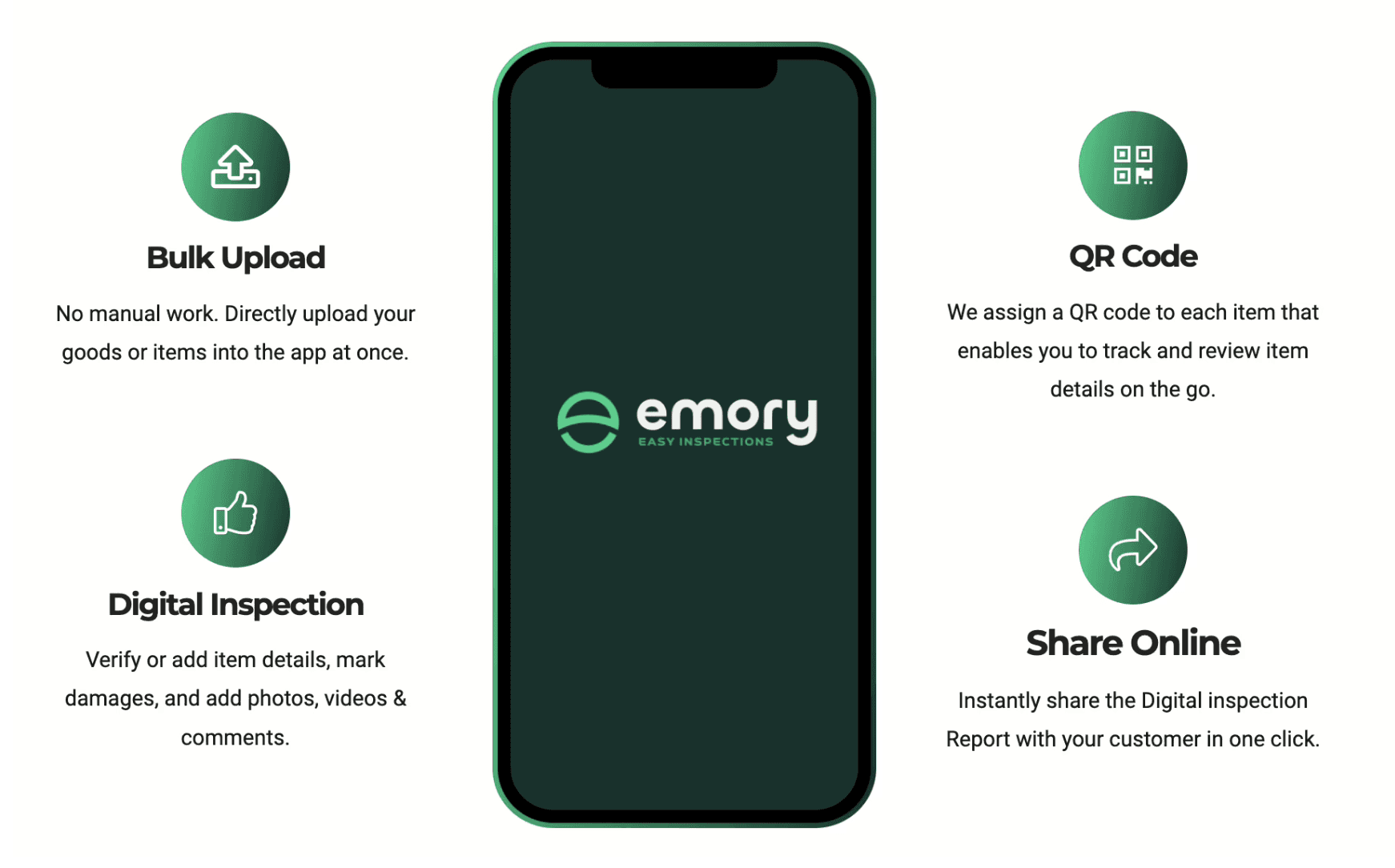
Efficiency: Cut down the time that is used for manual reporting.
Accuracy: Errors are greatly reduced through digital signatures, QR code scanning, and photo annotations.
Accountability: Inspection data of all kinds are stored in a safe cloud space.
Flexibility: You can still work offline; the app supports multiple languages and is mobile-friendly.
Data-Driven Decisions: Using historical data, it becomes easier to spot trends and put resources to good use.
Real-World Applications Use Cases
Fleet Management: Check the vehicles, note the damages, and ensure compliance.
Warehousing & Logistics: Inventory inspection, quality tracking, and storage condition reporting made easy.
Manufacturing QC: Identify defects, keep ISO standards, and simplify production reporting.
Field Audits: Examine distant locations without an internet connection and the data will be synchronized with the cloud automatically.
Advanced Features That Enhance Inspection Reports
Photo Doodle: Use photos as a means to explain and highlight problems.
QR Code Integration: Get to the inspection details fast and minimize mistakes.
Digital Signatures: Go for the formalities without the need of printing the papers.
API & Excel Integration: Let the work routines be done by the machine and connect with the other systems that are already in place.
Multi-Language Support: Be able to carry out the inspections anywhere in the world without facing any

Pricing Plans
Starter: €99/month — 50 reports, for small teams.
Pro: €349/month — 200 reports, mid-sized businesses.
Pro Max: €999/month — 600 reports, high-volume operations.
Enterprise: Custom pricing — white-label solutions, priority support (emory.pro/pricing).
Getting Started
Download the App: Google Play | Apple App Store
Sign Up for Free Trial: Explore features with a 30-day trial.
Customize Forms and Workflows: Set up checklists and task assignments.
Start Inspections: Conduct your first digital inspection with Emory Pro.
Monitor Progress: Track ongoing inspections, corrective actions, and team performance through dashboards.
Future Outlook
Digital check reports and vehicle inspection checklist apps are becoming the new industry standards due to the advancements in AI, automation, and IoT. Being able to work offline, syncing with the cloud, and real-time reporting have become the main factors that contribute to operational efficiency, regulatory compliance, and data-driven decision-making.
Final Thoughts
Using Emory Pro to create digital inspection reports is a game changer for inspection workflows. It lessens the work that is done manually, makes the process more accurate, and provides useful insights.
Were you to continue with the paper-based or partially digital tools approach in your inspection process, then it would certainly be time to make a change.
Go with Emory Pro — the app for checklists in inspection activities that are based on reality.
FAQ’s
Do I need to build my own inspection forms from scratch?
No. You can use a digital vehicle inspection app template from our library to get started immediately, or customize one to fit your specific fleet needs using our drag-and-drop builder.
Can I mark damage directly on the photos?
Is the app easy for non-technical drivers to use?